Plan. Braid. Write.
All in one app.
Five integrated views. Outline by character, braid into reading order, write with a full editor, connect ideas in a knowledge graph, and track your progress — all without leaving the app.
$39/year · 14-day free trial · Cancel anytime
Five Integrated Views
Every angle of your novel, one click away
Each view gives you a different lens on the same story. Changes sync instantly across all five.
POV Outline
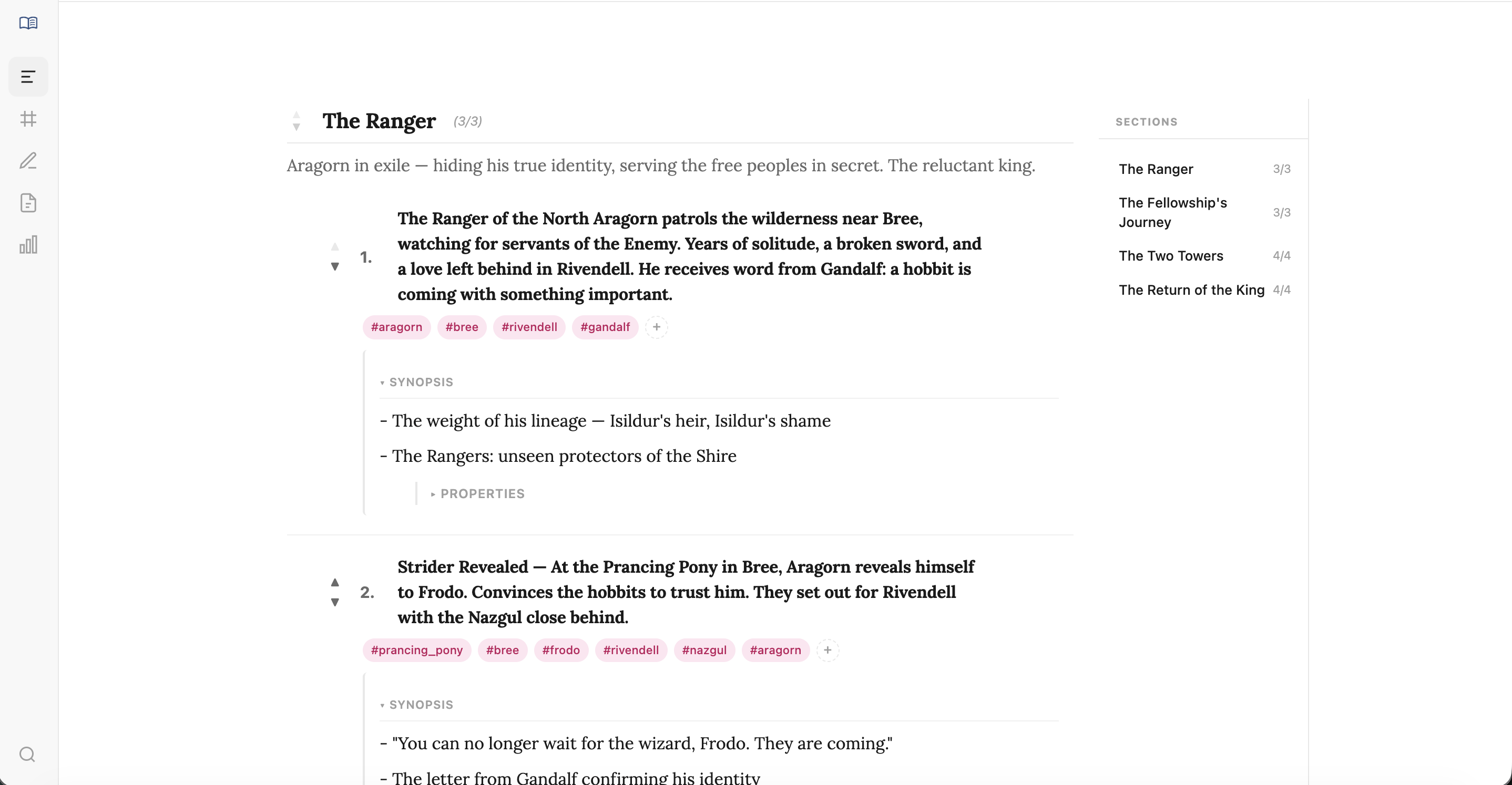
One character at a time, organized by plot points
Braided Timeline
All characters woven into reading order
Editor
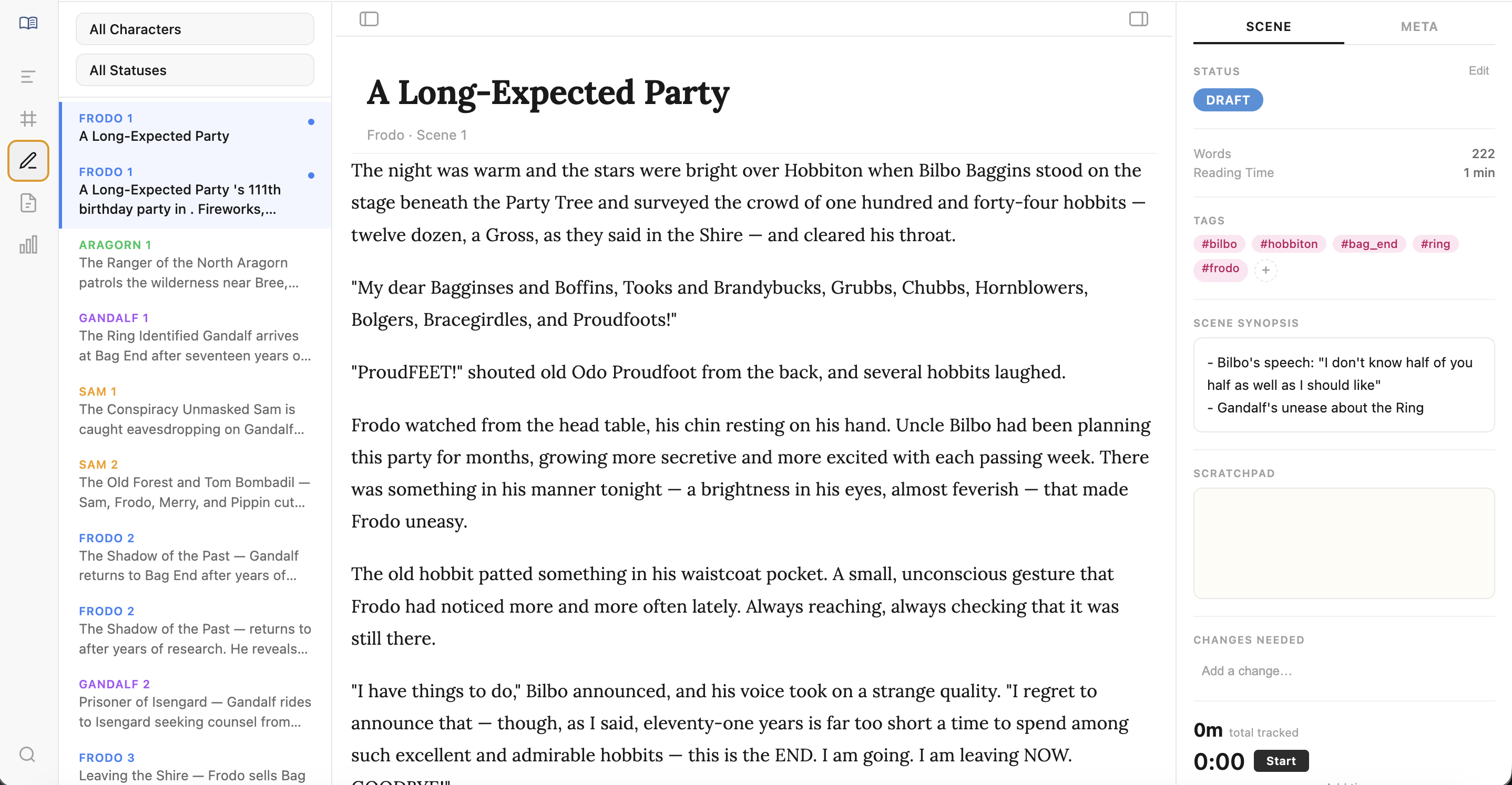
Full rich text editor with scene context
Notes
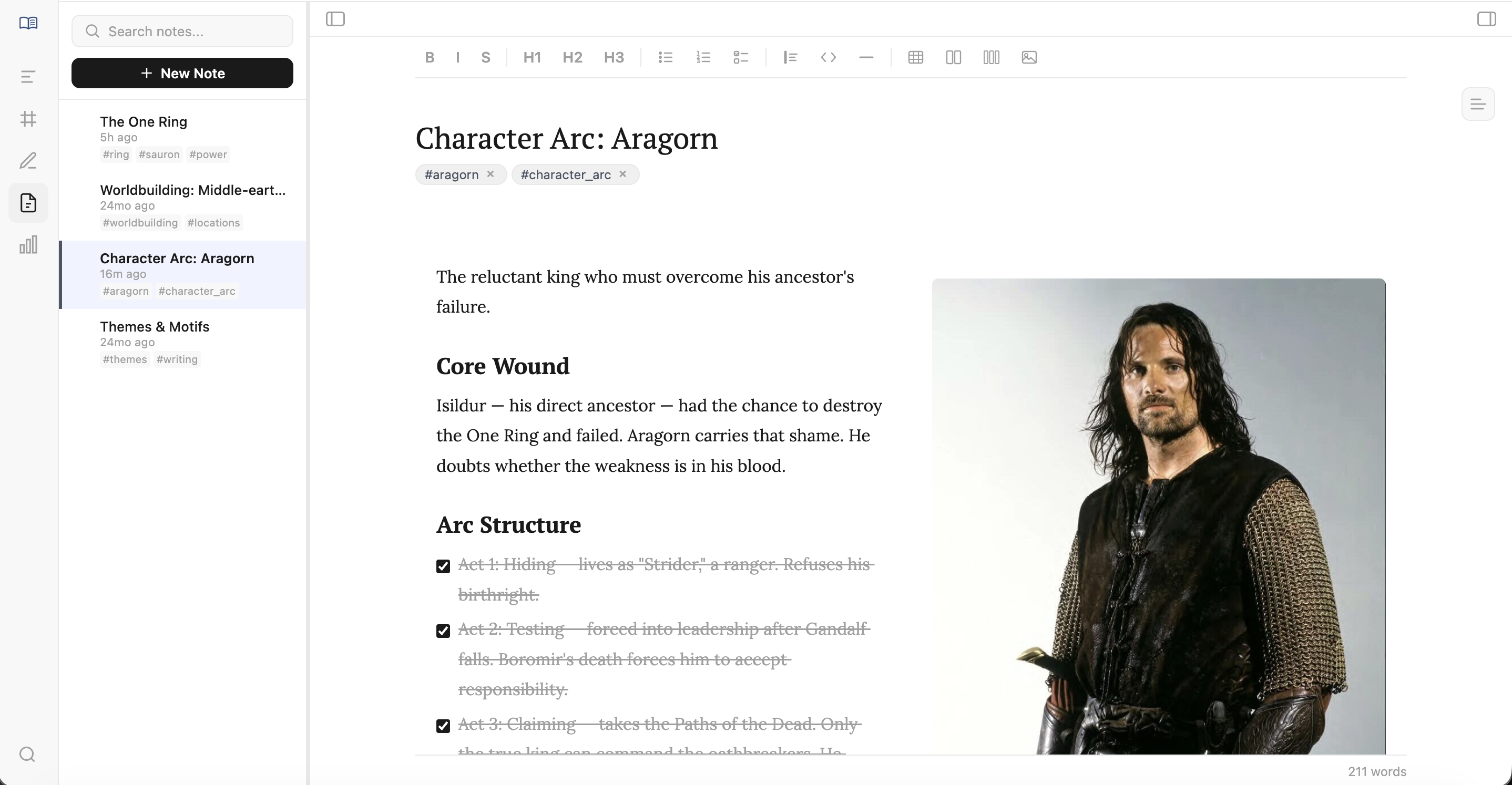
Wikilinked notebook with backlinks and graph
Analytics
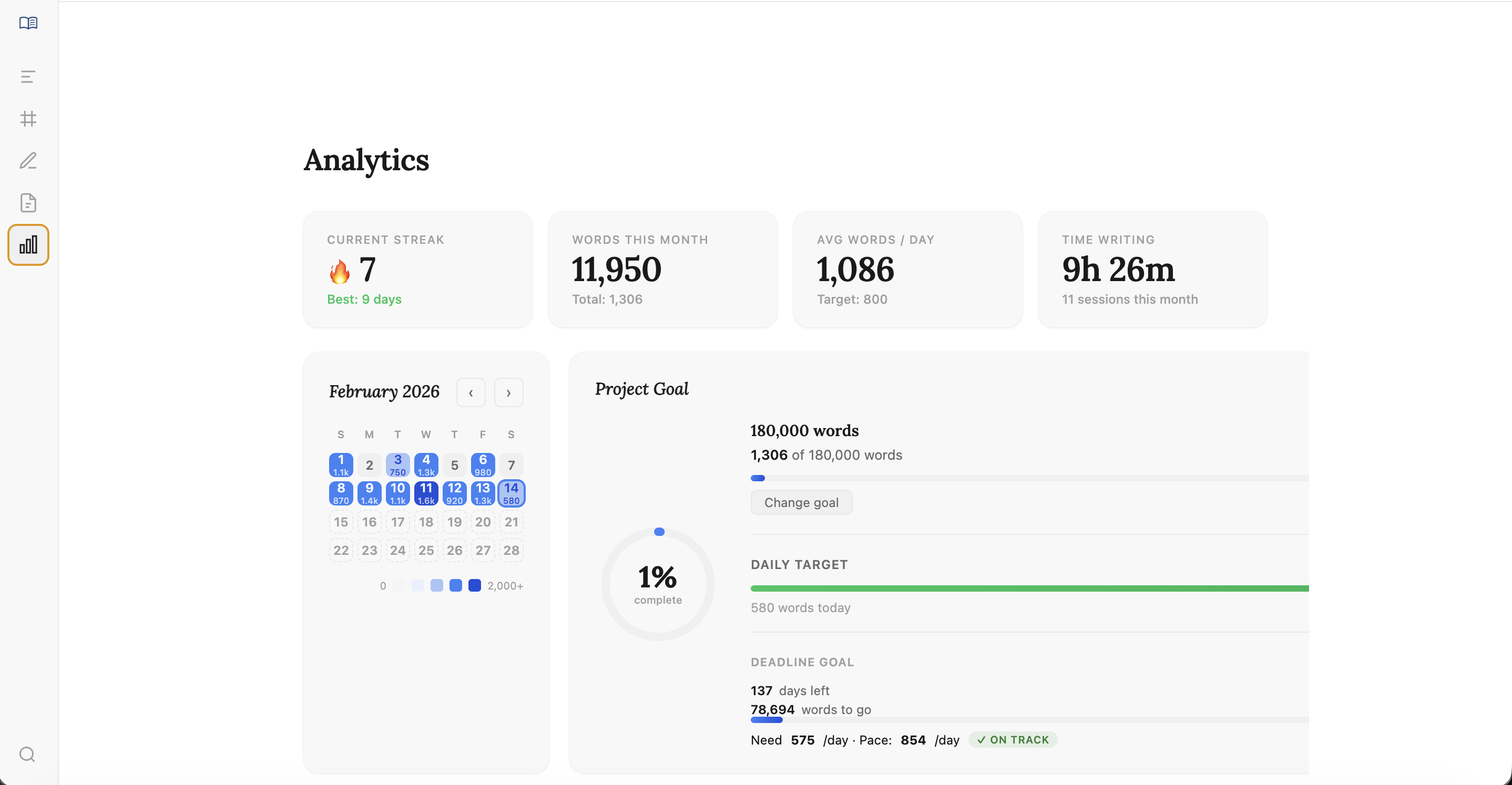
Word count goals, streaks, and writing stats
Organize each character's story independently
See one POV at a time. Group scenes into structural plot points. Rich scene cards hold titles, descriptions, notes, tags, and custom metadata — all collapsible with a table of contents for quick navigation.
Weave every POV into reading order
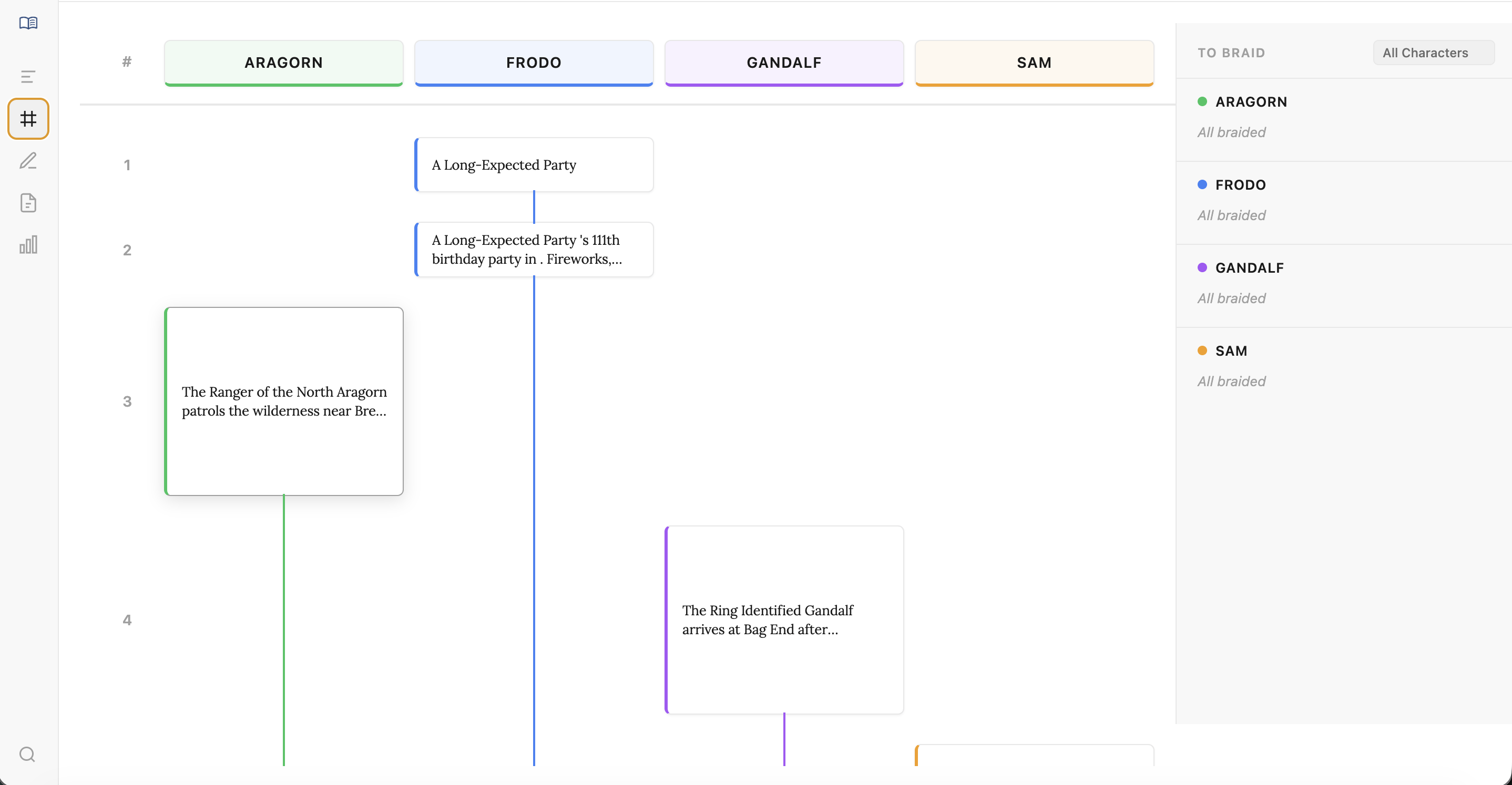
See your entire novel as the reader will experience it. Switch between three sub-views: a drag-and-drop list, a sortable spreadsheet table, and character rails.
List View
Drag-and-drop sequential timeline with chapter markers and an inbox for unbraided scenes.
Table View
Spreadsheet-style grid with sortable/filterable columns, inline editing, and saved view configurations.
Rails View
Visual character lanes with scenes positioned along parallel tracks and connection lines between related scenes.
Draft your scenes with full context
You don't outline in Braidr then write somewhere else. The full-page rich text editor shown above puts your scene navigator, writing canvas, and metadata panel side by side.
Rich Text
Bold, italic, headings, lists, task lists, code blocks, blockquotes, tables, images, and multi-column layouts.
Writing Timer
Global timer persists across views. Auto-detects inactivity. After a session, rate your energy, focus, and mood.
Draft Versioning
Save snapshots of any scene. Browse version history with timestamps. Restore previous versions at any time.
Connect your ideas with wikilinks and a visual graph
A hierarchical notebook built into your project. Link notes to other notes and scenes with [[wikilinks]]. See all inbound references in the backlinks panel. Explore relationships in an interactive force-directed graph.
Track your writing progress and build streaks
A calendar heatmap shows your writing activity at a glance. Set daily word count goals, deadline targets, and hit milestones. Per-character and per-plot-point breakdowns help you balance your novel.
Everything You Need
Built for the craft of multi-POV fiction
Smart Tags
Five categories — people, locations, arcs, things, time. Create inline or up front. Autocomplete suggestions. Filter any view by tag.
Custom Metadata
Add text, dropdown, or multi-select fields to any scene with custom color coding. Filter and display in table view.
Scene Connections
Bidirectional linking between any two scenes. Visual connection lines in braided and rails views. Track cause-and-effect across POVs.
Global Search (Cmd+K)
Search across scenes, drafts, notes, characters, and tags. Results grouped by type with context snippets. Keyboard navigation.
Compile & Export
Export to Markdown, DOCX, or PDF. Include/exclude chapters, character names, scene breaks. Filter by character or status. Preview first.
Story Structure Templates
Start with Three-Act Structure, Save the Cat (15 beats), Hero's Journey (12 stages), or a blank outline.
Character Management
Add, rename, and delete characters. Each gets a customizable color used across all views. Per-character scene count and word count.
Local Markdown Files
Your outlines are plain .md files with YAML frontmatter. Human-readable, git-compatible, editable in any text editor. Your data forever.
Works Offline
No cloud. No internet required. Loads instantly, works everywhere, never depends on a service staying online.
Archive & Restore
Soft-delete scenes to an archive. Browse archived scenes, restore them, or permanently delete. Nothing lost by accident.
Project Backup
One-click backup creates a .zip of your entire project. Per-screen font settings with 14+ font options and adjustable sizes.
Auto-Save & Undo/Redo
Drafts save automatically. 50-level undo/redo history persists across the session. Pick up exactly where you left off.
Made For You
If you juggle multiple POVs, this is your tool
Why Switch
Braidr vs. everything else
The Old Way
- Outline in Scrivener, track timeline in a spreadsheet, draft in Google Docs
- Character arcs or reading order — pick one, never both
- Notes scattered across 3-5 different apps
- No visual way to see multi-POV pacing or connections
- No analytics — you have no idea if your POVs are balanced
- Copy-paste scenes together for a final manuscript
With Braidr
- Plan, organize, draft, and track progress in one app
- Instant switch between character arcs and reading order
- Notes, tags, metadata, connections, and drafts together
- Rails view and knowledge graph show the big picture
- Per-character word counts, writing streaks, and milestones
- One-click compile to Markdown, DOCX, or PDF
vs. Scrivener
- Built for multi-POV, not general-purpose
- Five views that stay in sync
- Knowledge graph and wikilinks
- Writing analytics and goal tracking
vs. Word / Google Docs
- Scene management and metadata built-in
- Visual timeline across all POVs
- Draft versioning per scene, not per file
- Compile to manuscript — no copy-pasting
vs. Plottr / Notion
- Local files, not proprietary databases
- Integrated drafting — write here too
- Offline-first, fast native app
- $39/year — no per-feature upsells
Simple Pricing
One plan. Everything included.
No tiers. No feature gates. Five views, analytics, notes, graph, export — all of it.
Download
Get Braidr
Download the latest version for your platform. Includes a 14-day free trial.
All downloads available on GitHub Releases
Windows showing “Windows protected your PC”?
This is a standard SmartScreen prompt for new apps. Click More info, then Run anyway. Braidr is open-source and safe to install.
Stop juggling apps.
Start braiding stories.
Five views. One workflow. Try Braidr free for 14 days.
$39/year after trial · macOS & Windows · Cancel anytime